Changelog

Follow new updates and improvements to Plotly.

September 14th, 2026

Plotly Studio

New Features

You can now view which Python packages are installed in your project directly from the project page. A new Dependencies button next to the project credentials button opens a read-only panel listing all installed packages and their versions. To add or remove a package, just ask the AI agent and it will handle the installation.

Fixes

  • Fixed an issue where steps in the AI agent session timeline showed a blank icon when the agent edited or updated an existing file. These steps now correctly display a pencil icon.

  • Fixed an issue where the Publish button was missing from session view steps where the AI agent re-ran an existing Dash app. The button now appears as expected, so you can publish directly from any step.

  • Fixed an issue where some Windows users couldn't start an app preview due to file permission restrictions on creating symbolic links. The app now automatically falls back to copying the necessary files, so previews start successfully regardless of your Windows permission settings.

September 8th, 2026

Plotly Studio

Sessions in Plotly Studio's agentic workflow now live inside Projects, a persistent container that groups related sessions together and shares data connections and artifacts between them.

Project container above sessions. A project groups any number of related sessions together, so ongoing work no longer lives in a single, long-winded conversation.

Shared data connections. Data sources and credentials are configured once per project, not once per session, and every session in the project inherits them automatically. A project can hold multiple connections at once (for example, a data warehouse plus an uploaded file), each with its own credentials.

Shared artifacts. Charts, tables, reports, and apps are tracked at the project level the moment a session creates them. No manual save step. Any session in the project can read or edit that same artifact.

Automatic version history. Every artifact create, edit, or overwrite creates a new version. Open an artifact's version history at any time and roll back to a prior version.

Stable publish identity. An artifact keeps the same ID across edits, so publishing to Plotly Cloud or Dash Enterprise updates the existing deployed app in place instead of creating a new one on every publish. Previously shared URLs keep working after republish.

Automatic migration. Existing one-off sessions created before this release are automatically migrated into projects. No action required.

September 1st, 2026

Plotly Studio

New Features

Uploaded files are now visible in the code browser. The code browser now includes an Uploads section, so you can see the files you've uploaded right alongside your project's generated code. The file list also stays up to date, reflecting any changes made through the project's artifact tools instead of showing outdated or duplicate entries.

Improvements

Clearer message when AI usage limits are reached. Instead of a cryptic error, you'll now see a plain "AI usage limit reached" message with a button that takes you directly to the billing page to add credits.

Security confirmation for saved secrets. An info icon next to saved secrets in Settings, session credential prompts, and the project credentials manager now explains that secrets are stored securely in your operating system's keyring and never sent back to the client.

Fewer unnecessary interruptions when fixing multiple issues. When you report several problems at once, such as multiple broken charts, the AI now fixes all of them without stopping to ask which to address first.

Better handling of large uploads. Uploading a zip file with large directories (like .venv or node_modules) no longer risks errors — common large folders are skipped automatically, and other folders are capped at 200 files.

Fixes

Fixed a rare issue where certain wording in the AI's response could cause garbled or incomplete output to appear in the UI.

August 26th, 2026

Plotly Studio

Improvements

  • Deployment status updates during agentic sessions are now faster and more reliable.

  • The AI's step-by-step thinking notes shown during agentic sessions are now more concise, making it easier to follow along as it works.

Fixes

  • Fixed an issue where long sessions could get stuck with an error instead of automatically continuing once the conversation grew too long.

  • Fixed an issue where clicking a minimized artifact panel a second time wouldn't reopen it.

  • When artifact code execution times out, you'll now see a clear message explaining what happened instead of a confusing error.

  • Fixed a crash that could occur when an AI-generated description contained special characters like em-dashes, curly quotes, or emoji.

  • Fixed an issue in dark mode where the embedded Dash app preview incorrectly picked up Studio's dark styling instead of rendering on a clean, light background.

  • Fixed an issue where the "static snapshot" banner on older Dash app versions was hard to read in dark mode.

  • The AI credit indicator popover in the top navigation bar now stays open when clicked, instead of closing immediately.

August 26th, 2026

Plotly Studio

New Features

Live Reasoning Stream in Chat
Long-running AI responses previously showed only a static "Working…" spinner. Now the agent's reasoning streams into the chat in real time, so you can follow its thought process as it works.

Dash App Self-Correction via Screenshot Review
After a Dash app runs, the AI now reviews a screenshot of the result to catch visual issues like blank pages or broken layouts, and corrects itself if it finds a problem. This gives Dash apps the same quality check that charts already had.

Improvements

Faster Session Start
The agentic session and home page composer are now immediately interactive when you open the app. You no longer have to wait for a background service to finish loading before you can start typing.

Faster Deployment to Plotly Cloud and Dash Enterprise
Deploying a Dash app — packaging it, syncing credentials, and publishing — now runs end-to-end on a faster backend, making deploys quicker.

Faster, More Reliable Session Startup
A set of large, rarely-used Python packages (database connectors, geospatial libraries, document tools, and others) are no longer pre-installed by default, reducing the time it takes to start a new session. The agent can still install them on demand if your project needs them.

More Reliable Recovery After Restarts
When Studio restarts after a crash or update, interrupted sessions and in-progress tasks now recover more quickly and reliably, and active sessions are no longer incorrectly reset.

Fixes

Fixed App Deploy Failures
Deploying or generating apps could fail with a database error. This has been fixed.

Fixed Truncated AI Responses on Dash Enterprise
When using Plotly Studio through a Dash Enterprise AI proxy with certain models, agent sessions could fail immediately with an unsupported-feature error. Sessions now handle this correctly.

Fixed a Potential App Crash
Resolved a crash that could occur in the desktop app related to a recent dependency update.

August 18th, 2026

Plotly Studio

New Features

Thumbnails for Generated Dash Apps

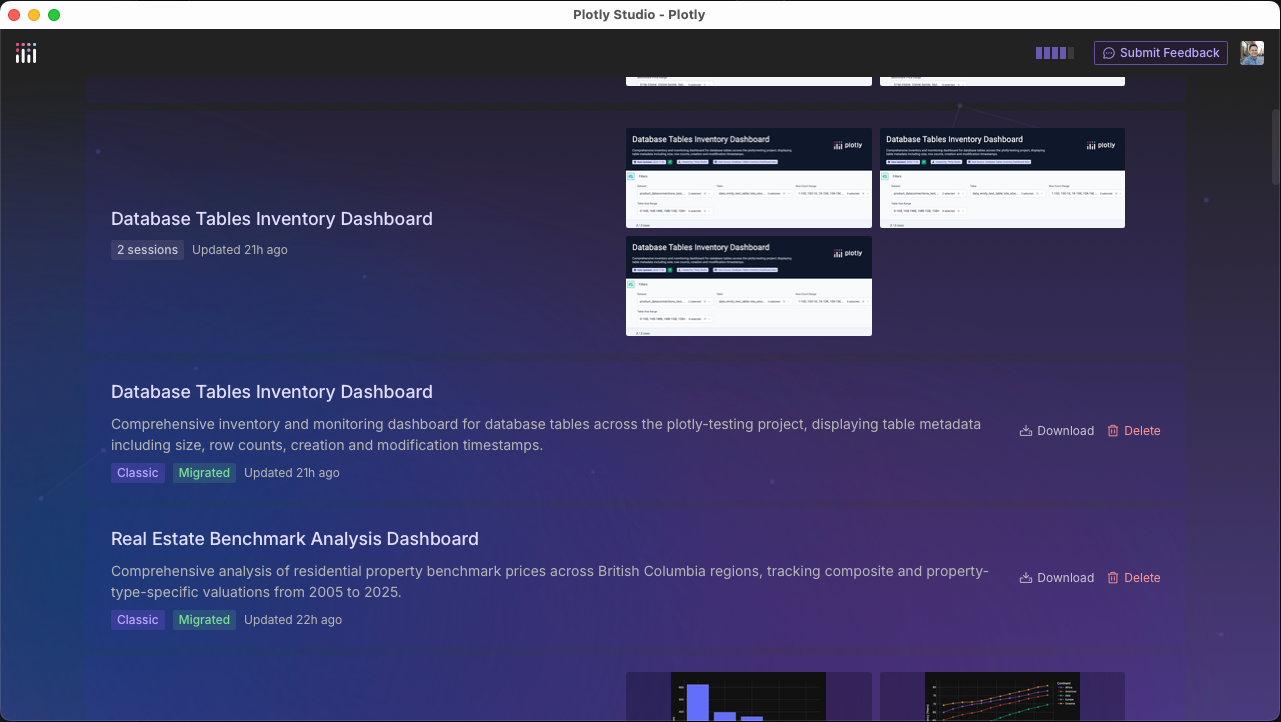
When the AI agent builds a Dash app for you, Studio now captures a screenshot thumbnail of it automatically. These thumbnails show up in the session view, your projects list, and the artifacts grid, making it easier to spot the app you're looking for at a glance.

Improvements

AI Calls Retry Automatically on Temporary Errors

AI requests now retry automatically when they hit a short-lived issue, such as an expired token or a brief service outage, before showing an error. This should mean fewer interruptions during agent sessions.

Faster, More Reliable Agent Sessions

The engine that runs AI agent sessions has been rebuilt for better performance and reliability across all agent-powered work in Studio.

Fixes

  • Fixed an issue where AI-generated app layouts with left-hand navigation could break out of the preview area and overlap Studio's own interface. Generated apps now stay contained within the preview window.

  • Fixed a bug where starting a new message in a session would incorrectly show an "interrupted by user" message even when nothing was actively running.

  • Cleaned up AI-related error messages so they no longer include unnecessary technical detail, making them easier to understand.

August 10th, 2026

Plotly Studio

Plotly Cloud

Your apps can now answer questions. Plotly Studio Embedded adds a floating AI chatbot to your published Dash app, letting viewers ask questions and explore the app's underlying data in natural language, in any language. It's in beta and available on all Plotly Cloud plans.

Plotly Studio Embedded makes it possible to add chat interaction with any app you have published to Plotly Cloud, with no code changes required for most apps.

To enable it, open the app's Plotly Studio Embedded tab and turn on Enable Plotly Studio Embedded for this app. Once the app rebuilds, a chat button appears in the published app for all viewers.

No code changes are needed for most apps: Studio Embedded automatically discovers your app's module-level dataframes (pandas, Polars, PyArrow, and GeoPandas are supported) and registers them for the chatbot. The Studio Embedded tab shows exactly which datasets are registered.

Only viewers with access to the app can use the chatbot. Each viewer authenticates with their own Plotly Cloud account, and conversations use AI credits from the viewer's team, not yours.

Head to the Plotly Studio Embedded tab of any published app to try it, or see the documentation for details.

August 4th, 2026

Your apps, your domain. You can now serve your team's Dash apps at URLs on a domain you own — like sales.example.com— instead of the default .plotly.app address.

Custom URLs at the .plotly.app address are now available in the Free tier, and full custom domains are available in the Pro tier and above.

With Custom Domains, a Creator adds a domain once in Team settings, and any app in the team can use it. Plotly Cloud verifies your DNS records automatically and provisions and renews TLS certificates for you, so your apps are served over HTTPS with no extra steps.

Two domain types to fit how your team works:

  • Wildcard domain (like *.dashboards.example.com): verify it once, and every app can pick its own subdomain — sales.dashboards.example.com, finance.dashboards.example.com — with no additional DNS changes. Ideal for a shared, self-service namespace for your team's apps.

  • Exact domain (like dashboard.example.com): a dedicated URL for a single app.

Setup is quick: add the domain in the Custom domains tab of your Team settings, create two CNAME records with your DNS provider, and Plotly Cloud handles the rest. Once verified, assign the domain to any app from its Settings > Generaltab — and don't worry, the app stays reachable at its .plotly.app URL too, so existing links keep working.

Custom domains are available now on plans that include them — see plotly.com/pricing for details.

👉 Head to the Custom domains tab in your Team settings to add your first domain, or read the guide to learn more.

July 24th, 2026

Plotly Studio

Improvements

  • Breadcrumb navigation has been added, making it easier to see where you are and move between projects and sessions.

Fixes

  • Fixed an issue where the "Working" spinner could get stuck after stopping a session.

  • Fixed an issue where skills could overflow and be hidden instead of scrolling into view.

  • Fixed an issue on Windows where skills containing newlines failed to parse correctly.

  • Fixed an issue that could prevent preview from starting correctly.

July 14th, 2026

New Features

Save Credentials Once, Reuse Everywhere: You can now save secrets such as API keys or database passwords once in User Settings and reuse them by name across all sessions. No more re-entering credentials every time you start a new session.

Install on Windows via Winget: Plotly Studio can now be installed on Windows using the Windows Package Manager: winget install Plotly.Studio. Future releases will be published to the winget repository automatically.

Note: We are awaiting approval for our package to be included in the WinGet repository. Approval is expected in the next 1 to 2 weeks.

Improvements

Faster AI Responses: AI processing now runs on a more efficient backend, resulting in faster and more reliable responses throughout the app.

Faster Chart Review and Notes: Chart review and notes generation after running code now complete faster thanks to backend performance improvements.

Fixes

Session Previews Restore Correctly After Restart: Restarting a session preview could previously leave required files missing, causing the preview to fail. Previews now restart reliably every time.

Saved Code Now Persists in Artifact History: Fixed a bug that prevented code changes from being saved in an artifact's version history, so saved versions now correctly reflect your code.

Faster Dash MCP Connections in Deployed Dash Apps: Deployed Dash apps were experiencing slow MCP client connections due to an overly permissive setting. This has been corrected, so deployed apps connect significantly faster and produce quieter logs.